
zidbuy

4 Google Sheets templates · $9 one-time

Get your week
out of your head.

A weekly planner plus finance, habit, and task trackers. Make a copy in Google Sheets and it’s yours to edit, on your phone or your laptop.

Get all 4 trackers · $9 One-time payment through Gumroad · Lifetime access

Everything in the bundle

Four sheets that work on their own or side by side. Tap one to preview it above.

Questions

What comes with my purchase?

The four Google Sheets templates (weekly planner, finance, habit, and task trackers), a Make-a-Copy link, a two-page Quick Setup Guide PDF, and lifetime access to the bundle.

What happens after I pay?

Gumroad shows your purchase right away and emails you a receipt. Open the Quick Setup Guide, then use the Make-a-Copy link to get your own sheets.

Do I need a Google account?

Yes. Making your own copy of a Google Sheet needs a Google account, which is free to create.

Can I edit the sheets?

Yes. Once you make a copy, it’s your own Google Sheet. Change the categories, rename tabs, and add your own entries.

Can I use it on my phone?

Yes. Use Google Sheets on a phone, tablet, laptop, or desktop. A larger screen gives you more room to review the whole sheet.

Is there a subscription?

No. You pay $9 USD once through Gumroad.

How do I get help?

Reply to your Gumroad receipt, or open .

What’s the one thing you keep putting off?

Give it a day in your weekly planner. The setup guide walks you through making your own copy.

Get all 4 trackers · $9 One-time payment · Lifetime access
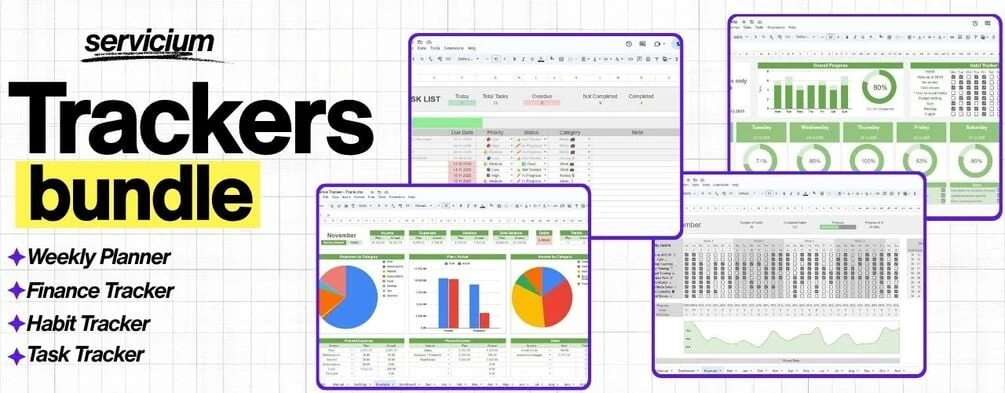
The Servicium trackers bundle: weekly planner, finance, habit, and task trackers

Privacy policy

You can browse the planner and tracker previews without creating an account. This site uses no analytics scripts or advertising cookies.

Contact messages

If you write to Servicium, we receive your email address and message so we can respond. For questions about your information, use Contact us in the footer.

Purchases

Checkout takes place on Gumroad. See how it handles contact, order, and payment information in Gumroad’s privacy policy.

Terms of use

This storefront lets you preview the Servicium planner and trackers. The entries shown in the previews are examples.

Your order

Review the product description, total price, and any purchase conditions shown on Gumroad before placing your order. Your use of the checkout is subject to Gumroad’s terms of service.

Using the bundle

Follow the included setup guide to make an editable copy. For questions about sharing a template or using it with a team, contact Servicium before sharing the files.

Refund policy

To request a refund for the Servicium planner and trackers, reply to your Gumroad receipt and tell us what happened. We review requests under any refund terms shown at purchase and honor your applicable consumer rights.

When to contact Gumroad

If you see a duplicate or unauthorized charge, contact Gumroad directly. If you’ve requested a refund from us and haven’t heard back after 30 days, send Gumroad a copy of your correspondence.

For support and information about regional withdrawal rights, read Gumroad’s refund guide for buyers.

Contact us

Already bought the bundle? Reply to your Gumroad receipt and your message goes to Servicium.

This opens a draft in your email app, addressed to support@zidbuy.com.

Checkout

Trouble loading? Open checkout on Gumroad